
Can AI find your website?
The Framer
The Framer
AEO
AEO
Checklist
Checklist
14 moves to get your Framer site cited by ChatGPT, Perplexity & Google AI Overviews. Built for designers handing sites over, useful for founders running their own.
"AI doesn't rank pages. It picks answers. Over 60% of searches now end without a click. If ChatGPT, Perplexity, or Gemini can't find your site, your customers won't either. Run through this before you hit publish."
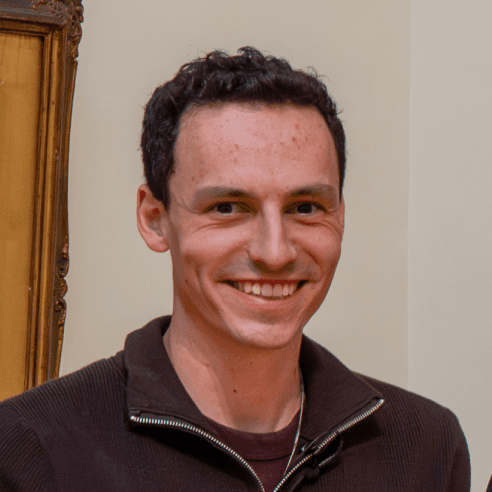
RYAN HAYWARD
RYAN HAYWARD
Framer Expert
14 moves. Site ready.
14 moves. Site ready.
Flip on indexing for every page that matters
Flip on indexing for every page that matters
Site Settings > Page SEO. One stray noindex and AI can't see you. Check every important page on the live site, not just the project.
Site Settings > Page SEO. One stray noindex and AI can't see you. Check every important page on the live site, not just the project.
Drop an llms.txt file at your root
Drop an llms.txt file at your root
Upload it in Framer via Domains > Files. List your real source pages: docs, pricing, comparison, FAQs, glossary. Skip thin landers and login screens.
Upload it in Framer via Domains > Files. List your real source pages: docs, pricing, comparison, FAQs, glossary. Skip thin landers and login screens.
Answer the question in the first 50 words
Answer the question in the first 50 words
Every page. No "welcome to" intros, no warm-up paragraphs. Lead with "X is..." or "X does..." and a real fact. That's the block AI engines quote.
Every page. No "welcome to" intros, no warm-up paragraphs. Lead with "X is..." or "X does..." and a real fact. That's the block AI engines quote.
Phrase your H2s as the questions people search
Phrase your H2s as the questions people search
"What is..." / "How does..." / "Best [thing] for [audience]." AI agents read your headings before they read your prose. Match the query, not the brand.
"What is..." / "How does..." / "Best [thing] for [audience]." AI agents read your headings before they read your prose. Match the query, not the brand.
Add a real FAQ section to every money page
Add a real FAQ section to every money page
Five to eight questions, 30-50 word answers. Direct, no filler. Skip FAQPage schema (restricted to gov & healthcare now), the format itself is what AI picks up.
Five to eight questions, 30-50 word answers. Direct, no filler. Skip FAQPage schema (restricted to gov & healthcare now), the format itself is what AI picks up.
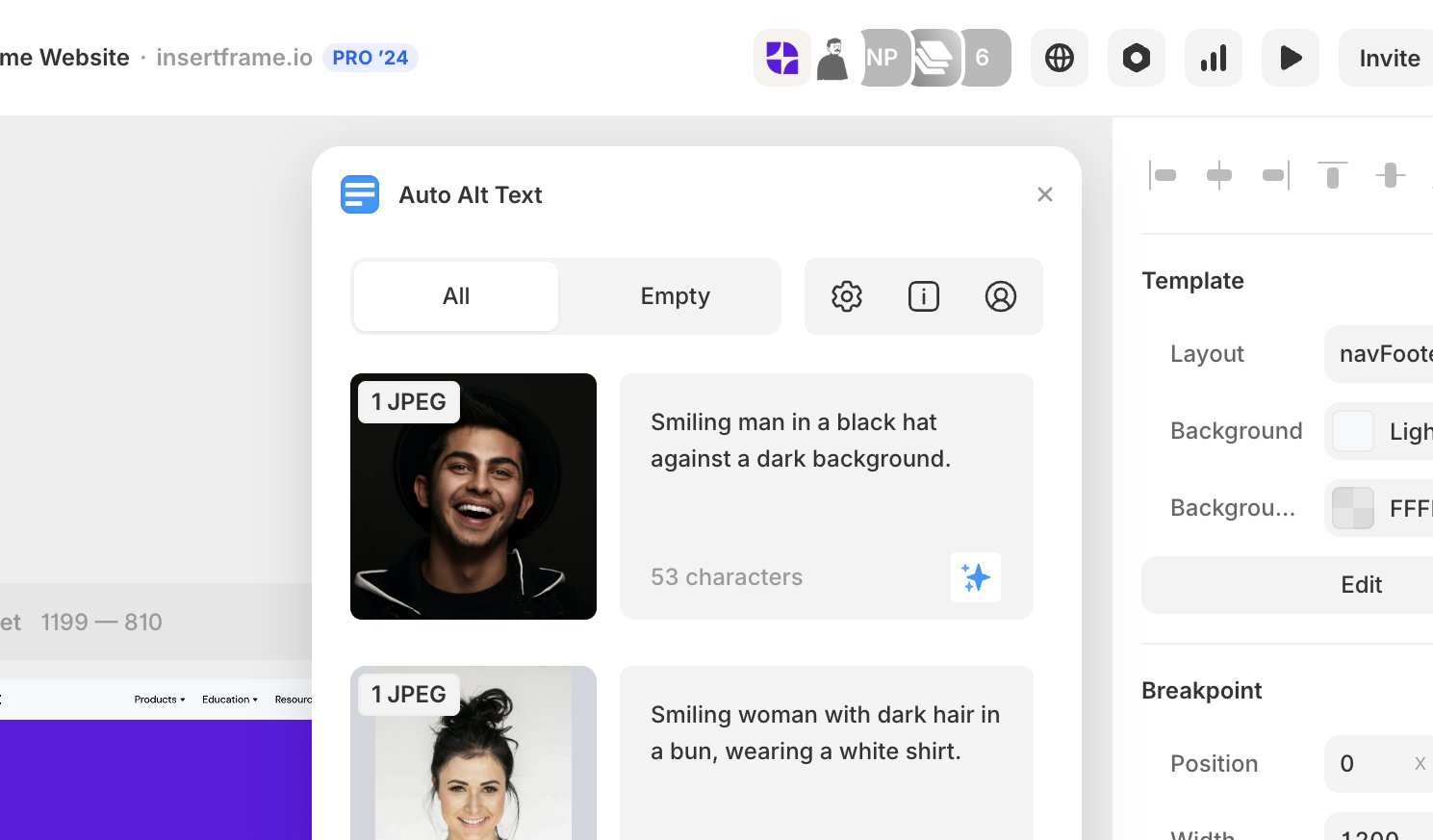
Auto-generate alt text on every image
Auto-generate alt text on every image
Ryan's move
Ryan's move
Use the Auto Alt Text plugin from the Framer Marketplace. Bulk-describes every image with AI in one pass. Missing alt = invisible image to AI engines.
Use the Auto Alt Text plugin from the Framer Marketplace. Bulk-describes every image with AI in one pass. Missing alt = invisible image to AI engines.
Add Organization schema in global custom code
Add Organization schema in global custom code
Ryan's move
Ryan's move
Site Settings > Custom Code > Start of Head. JSON-LD with name, URL, logo & sameAs links to your LinkedIn, X, YouTube, Crunchbase. This is your entity card.
Site Settings > Custom Code > Start of Head. JSON-LD with name, URL, logo & sameAs links to your LinkedIn, X, YouTube, Crunchbase. This is your entity card.
Add Article schema to every blog post
Add Article schema to every blog post
Headline, author, datePublished, dateModified. Pull values straight from CMS fields so it stays in sync when you update the post. No author = no quote.
Headline, author, datePublished, dateModified. Pull values straight from CMS fields so it stays in sync when you update the post. No author = no quote.
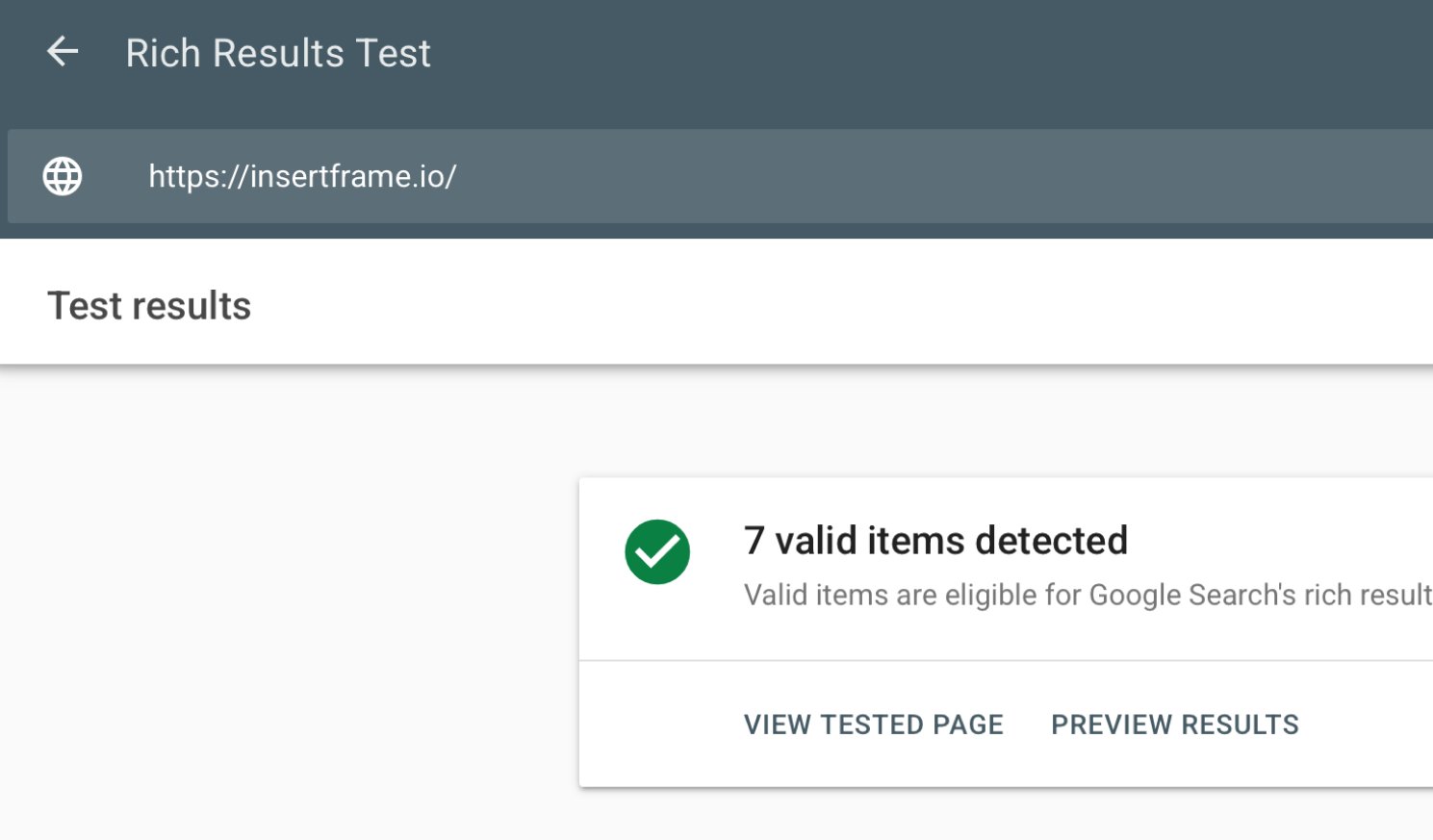
Validate your schema with Google's Rich Results Test
Validate schema with Google's Rich Results Test
Ryan's move
Ryan's move
search.google.com/test/rich-results. Paste your URL, hit run. You want all schema items showing "valid". Broken JSON-LD does nothing for AEO. Test every page that holds schema.
search.google.com/test/rich-results. Paste your URL, hit run. You want all schema items showing "valid". Broken JSON-LD does nothing for AEO. Test every page that holds schema.
Pass Core Web Vitals
Pass Core Web Vitals
LCP under 2.5s. INP under 200ms. CLS under 0.1. Slow sites get skipped, not penalised. Cut heavy video, oversized PNGs & third-party widgets you don't truly need.
LCP under 2.5s. INP under 200ms. CLS under 0.1. Slow sites get skipped, not penalised. Cut heavy video, oversized PNGs & third-party widgets you don't truly need.
Keep your NAP consistent everywhere
Keep your NAP consistent everywhere
Name, address, phone. Match it across your site, schema, Google Business Profile & socials. One mismatch and AI engines second-guess whether you're a real entity.
Name, address, phone. Match it across your site, schema, Google Business Profile & socials. One mismatch and AI engines second-guess whether you're a real entity.
Get mentioned off your own site
Get mentioned off your own site
Reddit, YouTube, LinkedIn, Wikipedia if you can earn it. Brand mentions correlate roughly 3x more with AI citations than backlinks do. Off-site is the unlock.
Reddit, YouTube, LinkedIn, Wikipedia if you can earn it. Brand mentions correlate roughly 3x more with AI citations than backlinks do. Off-site is the unlock.
Run the Framer AEO Scanner
Run the Framer AEO Scanner
Ryan's move
Ryan's move
framer.com/aeo. Free. 10 seconds. Tells you exactly what's blocking ChatGPT, Perplexity & Gemini from finding your site. Run it before launch, run it again a week later.
framer.com/aeo. Free. 10 seconds. Tells you exactly what's blocking ChatGPT, Perplexity & Gemini from finding your site. Run it before launch, run it again a week later.
REAL PROCESS
I fixed my AEO score on the Insert Frame site
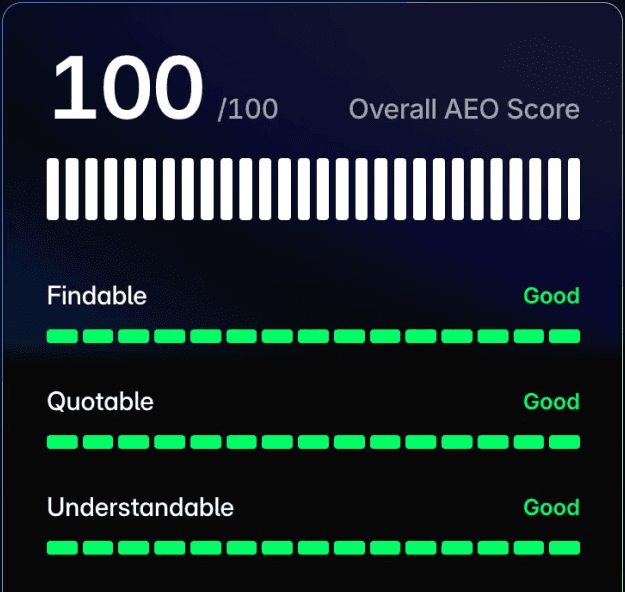
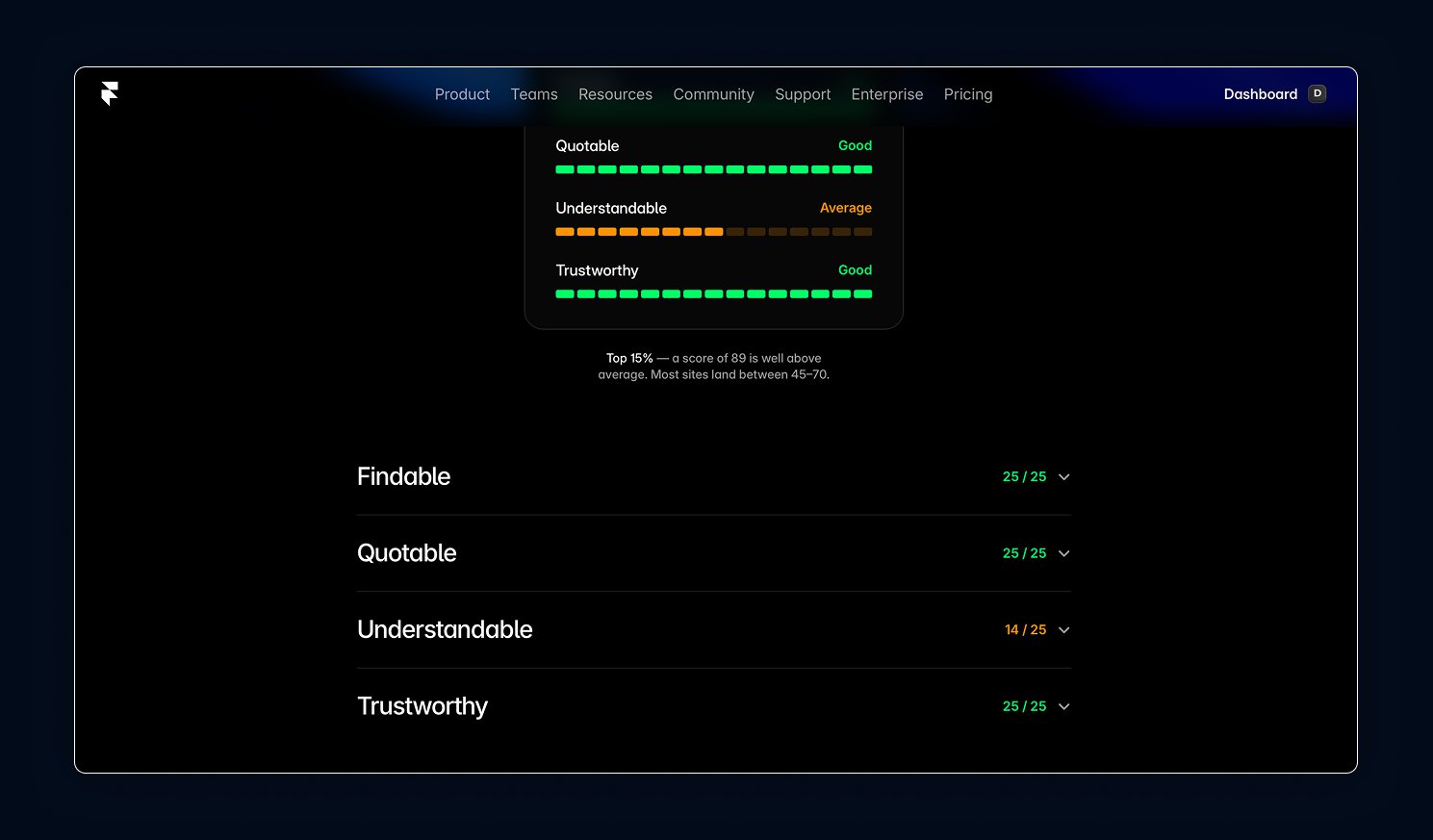
This isn’t theory. I ran this on the actual Insert Frame site. Here’s the score and the four moves that got me there. Most sites score between 40–70.
Result via Framer’s AEO Scanner.
This isn’t theory. I ran this on the actual Insert Frame site. Here’s the score and the four moves that got me there. Most sites score between 40–70. Result via Framer’s AEO Scanner.
here's how
here's how
Generate your Organization schema
Generate your
Organization schema
Generate your
Organization schema
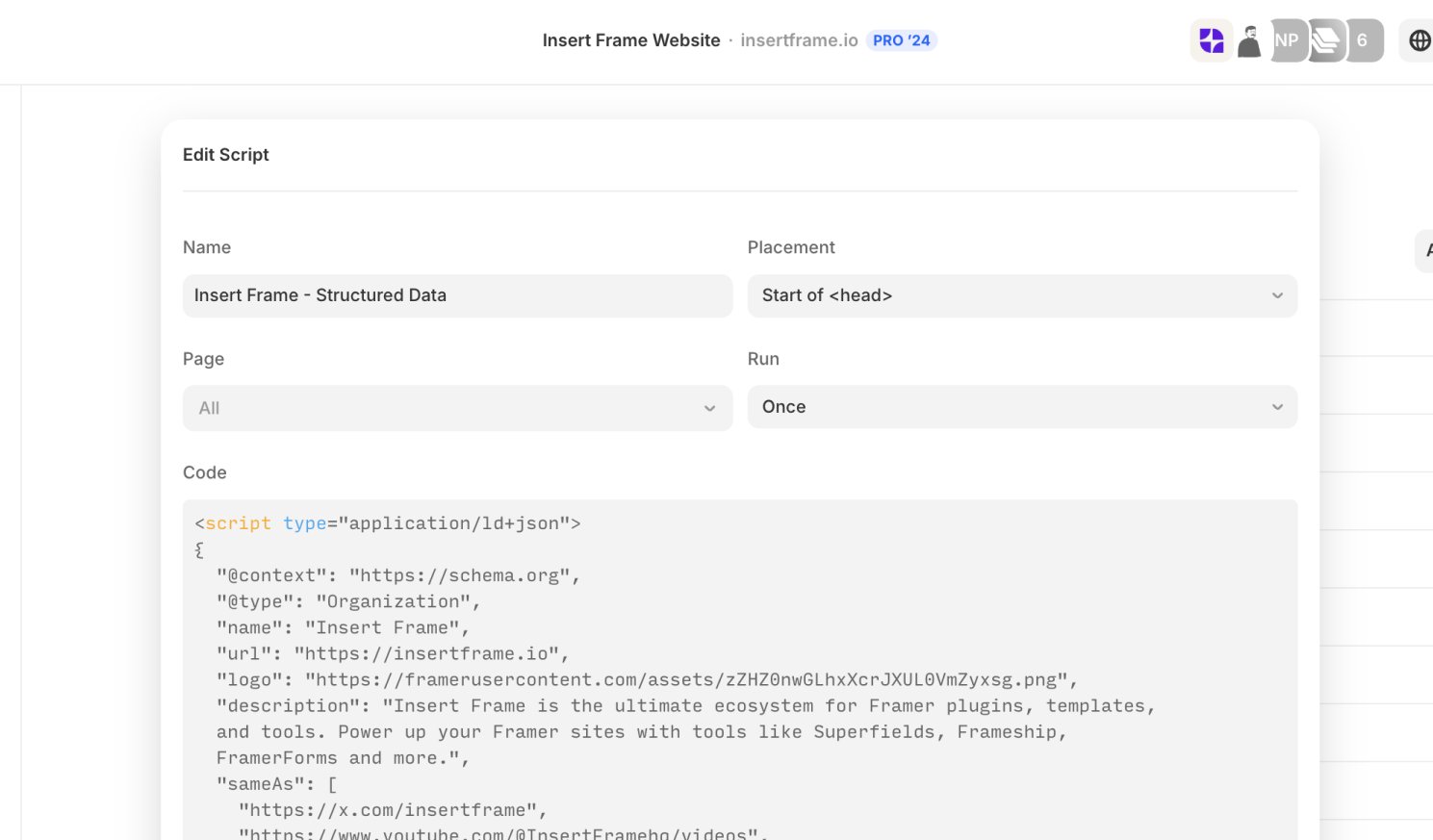
Fill the form for instant JSON-LD, or grab the AI prompt to do it in ChatGPT or Claude. Either way, paste the result into Framer > Site Settings > Custom Code > Start of Head.
<script type="application/ld+json">
{
  "@context": "https://schema.org",
  "@type": "Organization",
  "name": "Insert Frame",
  "url": "https://insertframe.io",
  "description": "An ecosystem of plugins & education for Framer.",
  "sameAs": [
    "https://x.com/insertframe",
    "https://www.linkedin.com/company/insert-frame",
    "https://www.youtube.com/@InsertFrameio"
  ]
}
</script><script type="application/ld+json">
{
"@context": "https://schema.org",
"@type": "Organization",
"name": "Insert Frame",
"url": "https://insertframe.io",
"description": "An ecosystem of plugins & education for Framer.",
"sameAs": [
"https://x.com/insertframe",
"https://www.linkedin.com/company/insert-frame",
"https://www.youtube.com/@InsertFrameio"
]
}
</script>What the FAQ
What's the difference between SEO and AEO?
SEO is about ranking in a list of blue links. AEO is about being the answer the AI quotes. Same site, different optimisation. AEO sits on top of solid SEO, it doesn't replace it.
Do I really need an llms.txt file?
You don't need it, but it's an edge. It tells AI engines which pages on your Framer site hold your most reliable facts. Vercel, Stripe, Shopify & Anthropic all publish one.
Can I do all of this in Framer without a developer?
Yes. Indexing toggles live in Page SEO. llms.txt uploads in Domains > Files. Schema goes in Custom Code as JSON-LD (use the generator above). CMS handles the rest. No dev required.
How long until I see AI citations after fixing this?
Days for indexing changes. Weeks to months for real citation lift. Off-site mentions (Reddit, YouTube, Wikipedia) take the longest, but move the needle the most.
Is this checklist only for Framer sites?
The principles work anywhere. The shortcuts (Domains > Files, Page SEO toggles, Custom Code) are Framer-native. Built for Framer, useful beyond it.
What's the difference between SEO and AEO?
SEO is about ranking in a list of blue links. AEO is about being the answer the AI quotes. Same site, different optimisation. AEO sits on top of solid SEO, it doesn't replace it.
Do I really need an llms.txt file?
You don't need it, but it's an edge. It tells AI engines which pages on your Framer site hold your most reliable facts. Vercel, Stripe, Shopify & Anthropic all publish one.
Can I do all of this in Framer without a developer?
Yes. Indexing toggles live in Page SEO. llms.txt uploads in Domains > Files. Schema goes in Custom Code as JSON-LD (use the generator above). CMS handles the rest. No dev required.
How long until I see AI citations after fixing this?
Days for indexing changes. Weeks to months for real citation lift. Off-site mentions (Reddit, YouTube, Wikipedia) take the longest, but move the needle the most.
Is this checklist only for Framer sites?
The principles work anywhere. The shortcuts (Domains > Files, Page SEO toggles, Custom Code) are Framer-native. Built for Framer, useful beyond it.
Ship your site so AI can find it
Ship your site so AI can find it
Save the checklist. Run the scanner.
Building the Framerverse 🚀 - an ecosystem of products & education for Framer.
© 2026 Insert Frame Pty LTD


Proudly built with Framer
Building the Framerverse 🚀 - an ecosystem of products & education for Framer.
© 2026 Insert Frame Pty LTD
Proudly built with Framer
Building the Framerverse 🚀 - an ecosystem of products & education for Framer.
© 2026 Insert Frame Pty LTD
Proudly built with Framer