
setup
COMPONENTS
INTEGRATIONS
FAQ
How to Add Dynamic Value Display to a Form
How to display dynamic values within steps of your form, stored from previous user input.
Open the FramerForms plugin.
Create a Single page or Multi-Step form and place on the canvas.
Navigate to the component library in the plugin and drag + drop the 'Dynamic Value Display' component. Place it on the step or area where you want to display the stored value.
Select the component, and on the right-hand Properties panel, you will find all the customizable settings:
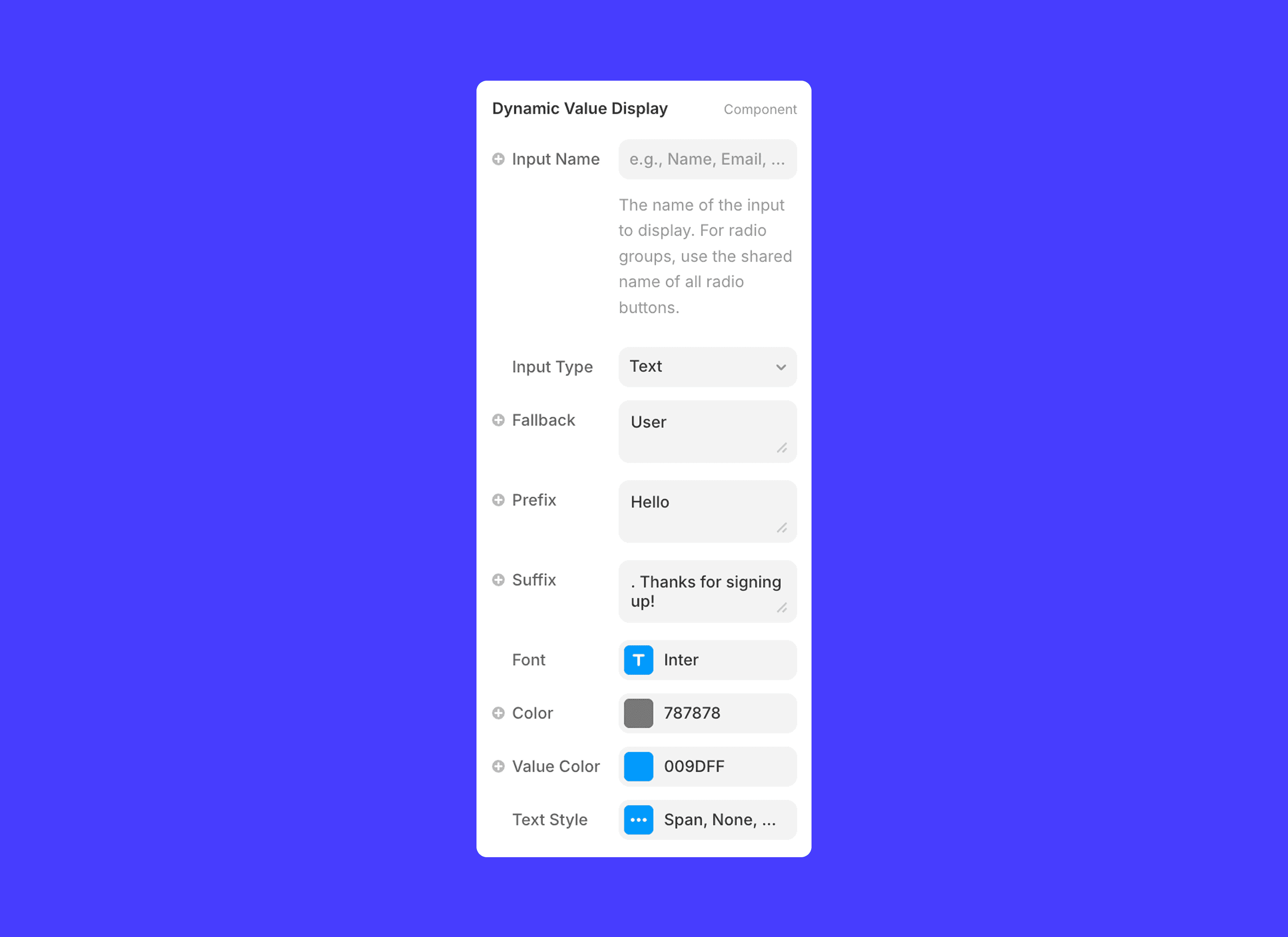
You can use the following input types for Dynamic Value Display:
Text
Select
Checkbox
Phone Number
Rating
Country
Number
Radio
Email
And you're done! This will display the inputted value, such as a user's Name, in your form!
💡 Note: This works as you type, so can be placed on either a single step or a multi-step form.
RELATED DOCUMENTATION


