setup
COMPONENTS
INTEGRATIONS
FAQ
How to add Favoriting to Your Framer Project with Superfields
Step 1: Connect Superfields to Your Collection List
First, make sure your Superfields component is connected to a Framer collection list. This allows the favoriting feature to work with your CMS data.
Step 2: Add the Favoriting Component
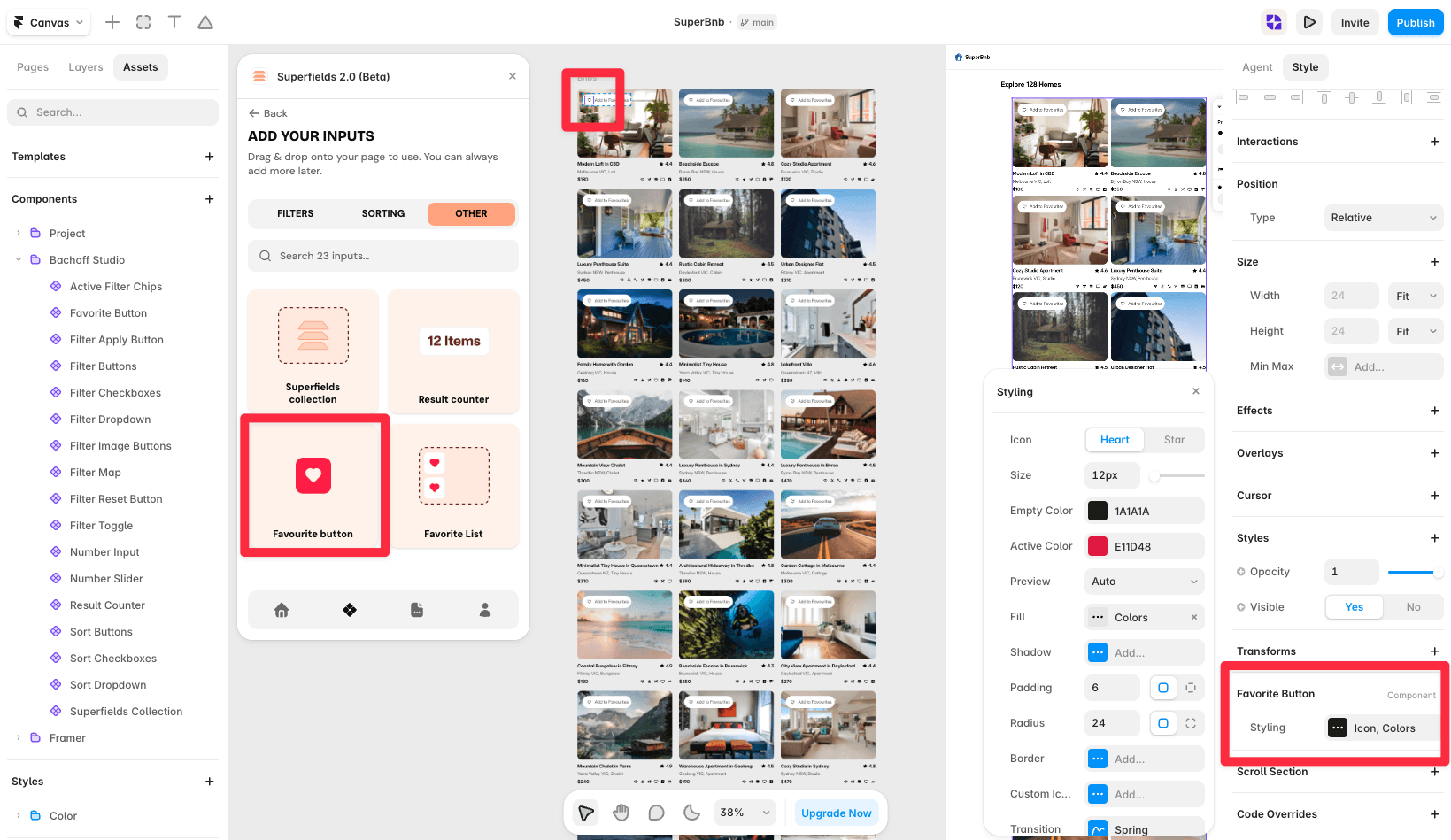
Go to the Superfields dashboard.
Add the Favoriting component to your collection list (it will sit off the canvas).
This will automatically create the ability for users to favorite, like, or unlike items inside your collection.
Step 3: Test the Favoriting Component
Preview your Framer project.
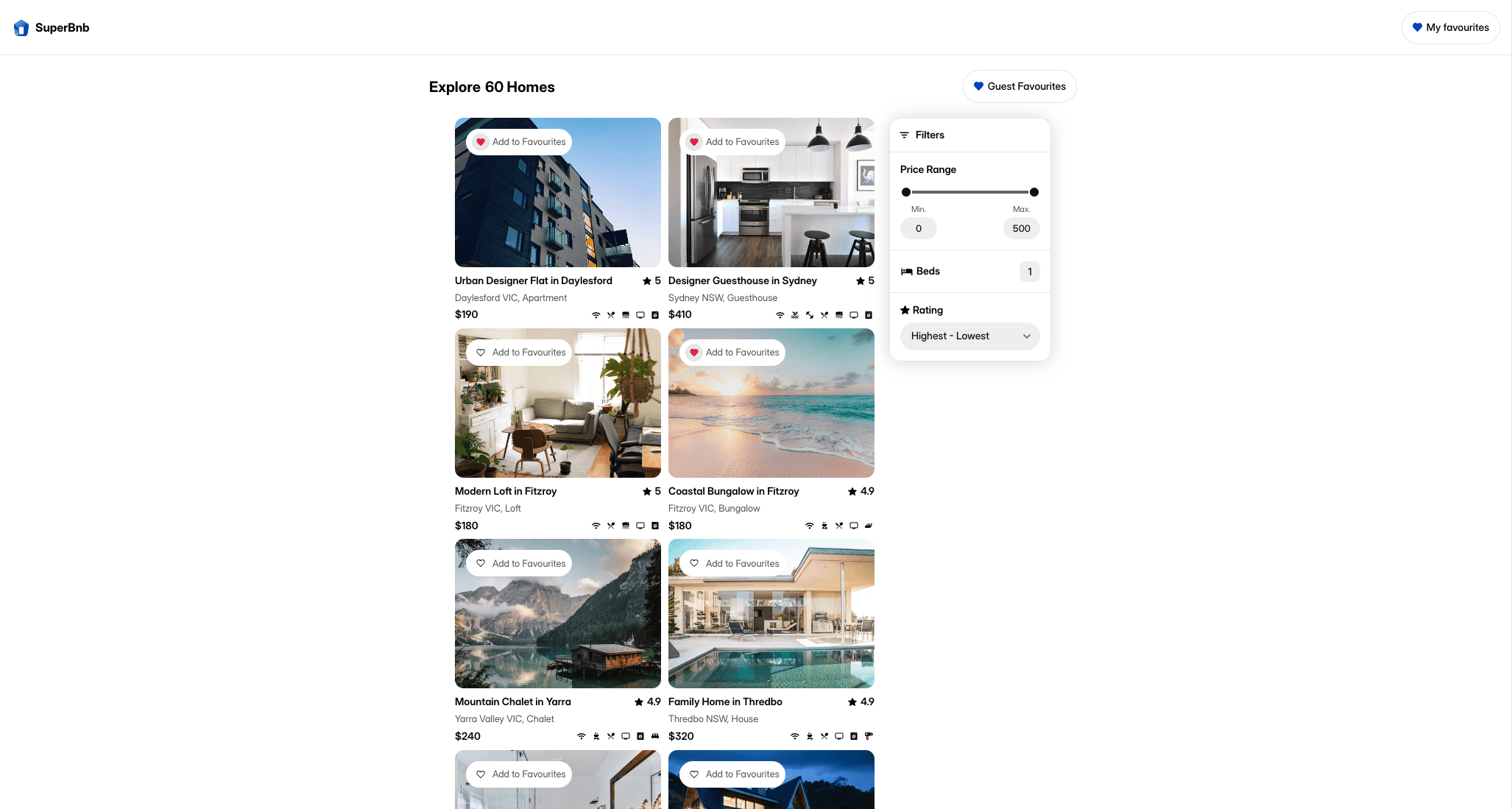
You will notice that the favoriting component allows you to favorite or unfavorite items in your collection.
Once a user clicks on a favorite, it will stay saved in their browser. This means that when they return to your website later, their saved items will still be there.
Step 4: Customize the Appearance
You can easily style the favoriting component however you'd like.
For instance, if you don't want a background color, you can remove it and just adjust the fill color to match your site's design.
Step 5: Add a Filtering Option for Favorites
You can go a step further and allow users to filter the collection by their favorite items:
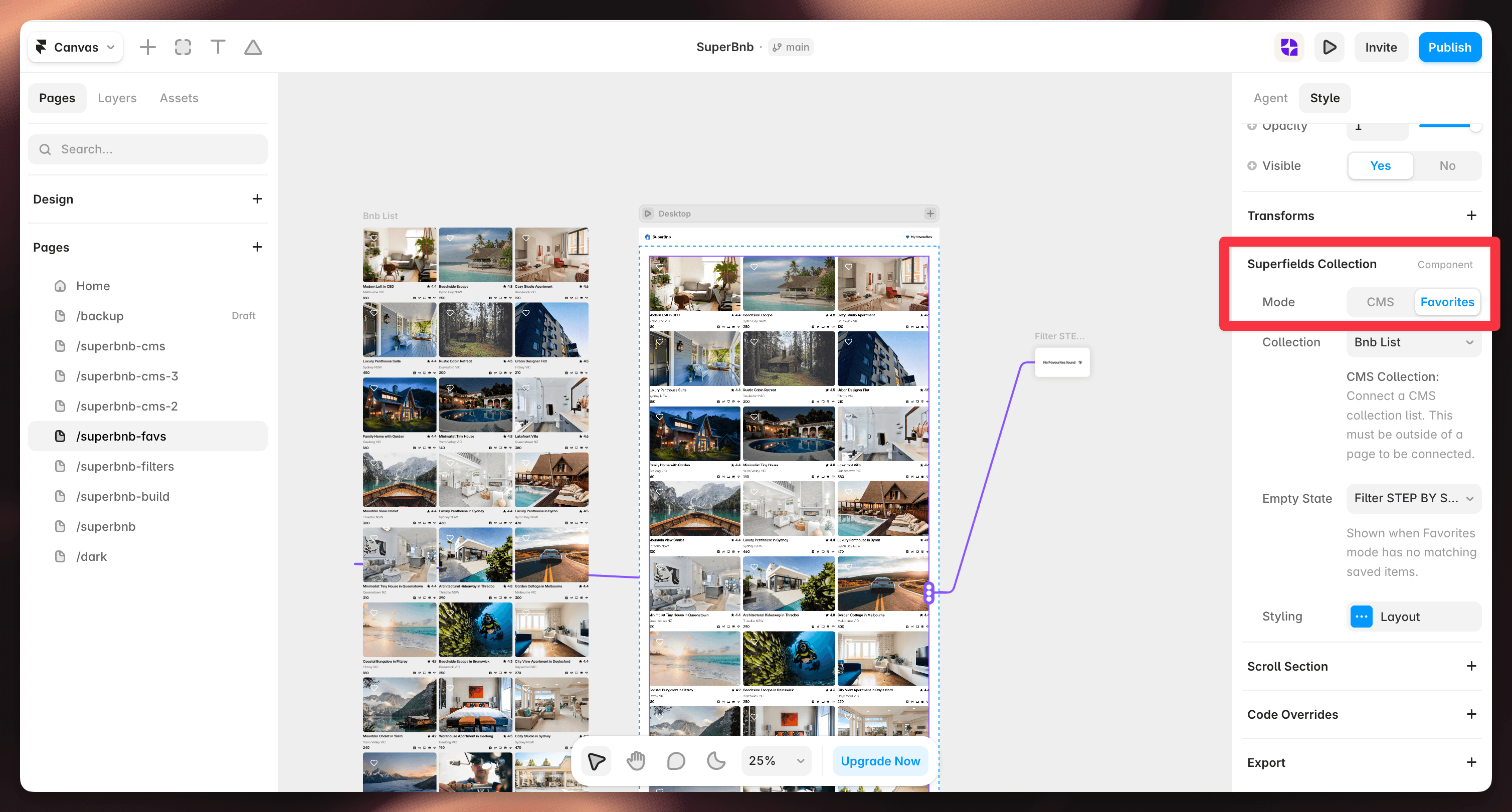
Go back to the Superfields plugin and add the Filter component to your project.
Set the filter to filter by favorites.
Step 6: Test the Favorite Filtering
Once set up, you can preview the filter functionality.
When you toggle the filter, only the favorite items will show.
If you remove something from your favorites, it will disappear from the filtered view.
This makes it easy for users to view only their saved content.

Step 7: Fully Customizable
Like all Superfields components, the favoriting and filtering features are fully customizable. You can adjust styling, layout, and behavior to match your site's needs and design preferences.
By following these steps, you can easily add a favoriting feature to your Framer project using Superfields.


