setup
COMPONENTS
INTEGRATIONS
FAQ
how to add pre filled fields
Open the FramerForms plugin
Go to Logic → Pre-fill Form Inputs.
Select ‘Add the Pre-fill Form Inputs’
This will add the component to the canvas.
Drag this into your form.
Fill out the component details
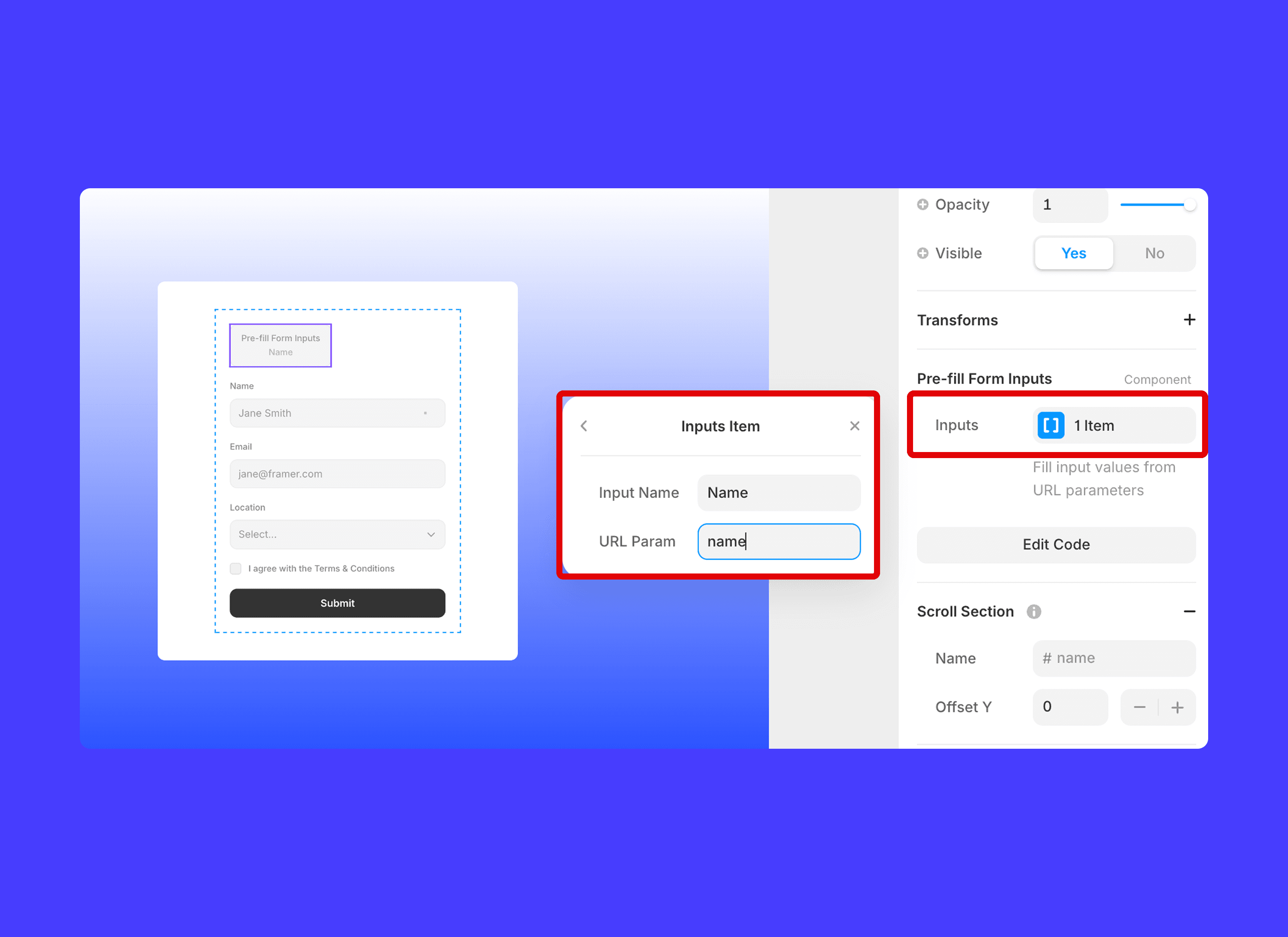
With the component selected, go down to the ‘Pre-fill Form Inputs’ section.
Under Inputs, fill in the Input Name and URL Param fields. For each input that you want to prefill with a URL paramater, add a new input name and parameter name to the component.
Test your form by publishing this site and navigating to the URL with the prefilled parameters.
To do this:
Create a prefilled parameter for a Name field to be John by having a URL like:
https://example.com/?name=John
When you open the page, the input with the name ‘Name’ will be prefilled with ‘John’


