Products

Education

Resources

Company

Support

Products

Education

Resources

Company

Support

Help Centre

How can we help?

Search Docs

How to Save Incomplete Form Submissions

How to Save Incomplete Form Submissions

How to Save Incomplete Form Submissions

This is a guide on how to auto-save form submissions in Framer if a user navigate away without pressing 'Submit', allowing for persistent data in the same browser session.

  1. Open the FramerForms plugin and select New Form.

  2. Select either Single-Page or Multi-Step form and insert it onto your project.

  3. Under 'Form Inputs' in the plugin, drag in the 'Form Persistence' component. Place this within the parent (outer) frame of the form.

  4. Click into the component, and on the right-hand Properties panel, change options such as Save Page and Expiry. Use Form ID if you are using multiple forms on one page.
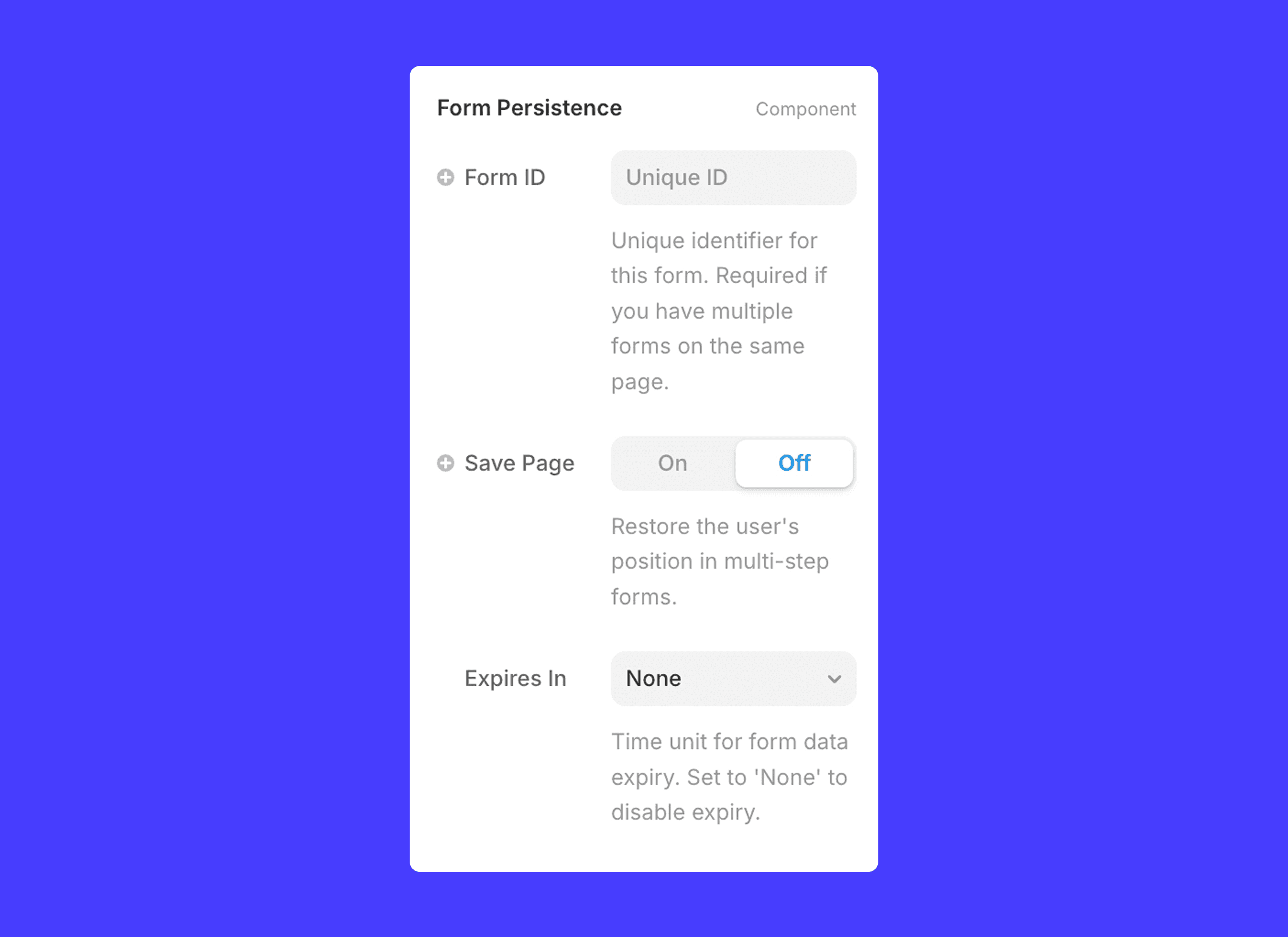
And that's it! Now users will have their incomplete form information saved if they navigate off the page.

FramerForms – Build powerful, interactive forms inside Framer.

Framer Forms power ups for pros

Unparalleled form-building with FramerForms. Multi-step forms, file uploads, conditional logic & more!

FramerForms – Build powerful, interactive forms inside Framer.

Framer Forms power ups for pros

Unparalleled form-building with FramerForms. Multi-step forms, file uploads, conditional logic & more!

FramerForms – Build powerful, interactive forms inside Framer.

Framer Forms power ups for pros

Unparalleled form-building with FramerForms. Multi-step forms, file uploads, conditional logic & more!