
Products

Education

Resources

Company

Support

Products

Education

Resources

Company

Support

Help Centre

How can we help?

Search Docs

Setting up Markets & Multi-Currency with Frameship

Setting up Markets & Multi-Currency with Frameship

Setting up Markets & Multi-Currency with Frameship

This is a guide on how to set up multiple currencies or markets in your Shopify store in Framer.

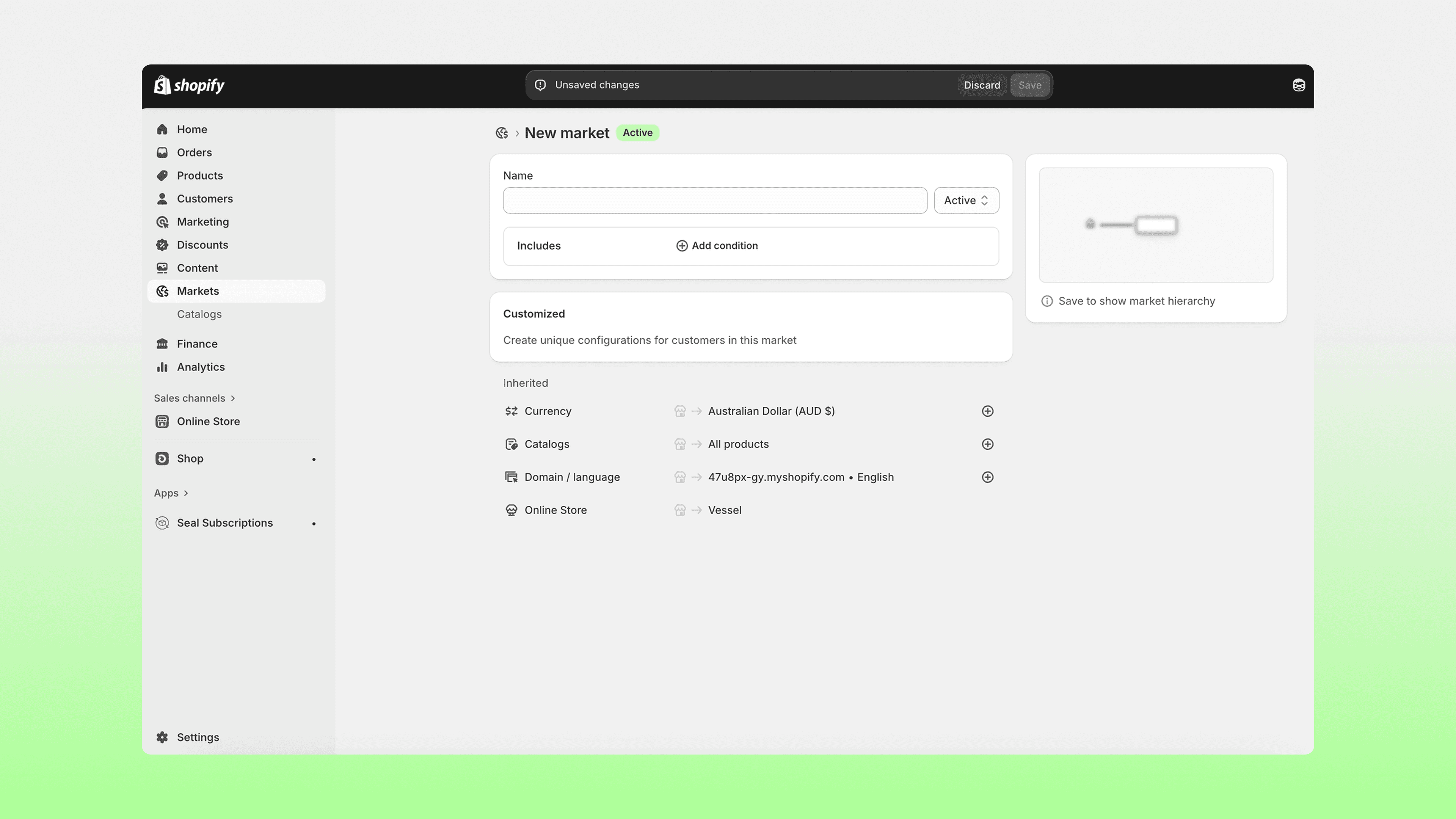
  1. First, open your Shopify store and set up your intended Markets with the related currency.
    Go into your Framer project and open the Frameship plugin.

  2. Navigate to the Catalog tab.

    Note: These components are only available for Scale tier of Frameship license. You can upgrade your license at any time through the plugin.


  3. Drag the necessary components in to your project.

  4. Note: These will only work on preview or a published URL, not on the canvas.

  5. Once stylied to your liking, test out your product detail pages and change the market to see changes in price!

You have now successfully connected multi-currency in Framer!


Note: If your currently symbol is not pulling through into Framer, change or set the intended currency under "Markets" in Shopify, then sync again in Framer.

Build Ecommerce stores with Shopify and Framer

Connect Shopify to your Framer site to build Ecommerce websites fast.

Frameship – Seamlessly build eCommerce stores in Framer with Shopify integration.
Frameship — Framer with Shopify.

Frameship

Search Components

Product Variants

Stock status

Quantity Selector

Product Variants

Add to Cart Button

Price

Image Gallery

Product Variants

Connect Shopify

Build Ecommerce stores with Shopify and Framer

Connect Shopify to your Framer site to build Ecommerce websites fast.

Frameship – Seamlessly build eCommerce stores in Framer with Shopify integration.
Frameship — Framer with Shopify.

Frameship

Search Components

Product Variants

Stock status

Quantity Selector

Product Variants

Add to Cart Button

Price

Image Gallery

Product Variants

Connect Shopify

Build Ecommerce stores with Shopify and Framer

Connect Shopify to your Framer site to build Ecommerce websites fast.

Frameship – Seamlessly build eCommerce stores in Framer with Shopify integration.
Frameship — Framer with Shopify.

Frameship

Search Components

Product Variants

Stock status

Quantity Selector

Product Variants

Add to Cart Button

Price

Image Gallery

Product Variants

Connect Shopify