setup
COMPONENTS
INTEGRATIONS
FAQ
How to Add a Promotional Progress Bar in Frameship
It tracks the cart total in real time and updates smoothly as items change, giving shoppers clear feedback and a better checkout experience overall!
💡 Note: This component is only available for Scale tier of Frameship license. You can upgrade your license at any time through the plugin.
Here's how to add it to your Framer store:
Add in the cart component to your Framer project from the plugin.
Double click on the cart component, select 'Unlink & Replace All' in the pop up.
Within the cart component, double click on the Cart Layer and select 'Unlink & Replace All'.
Drag the Progress Promotion bar from your Asset tab (you will need to insert it from the plugin directly so it can be in your Asset tab). Drop this where you wish.
Under the Properties panel, you will see the options to set minimum value, maximum value, styling and design.
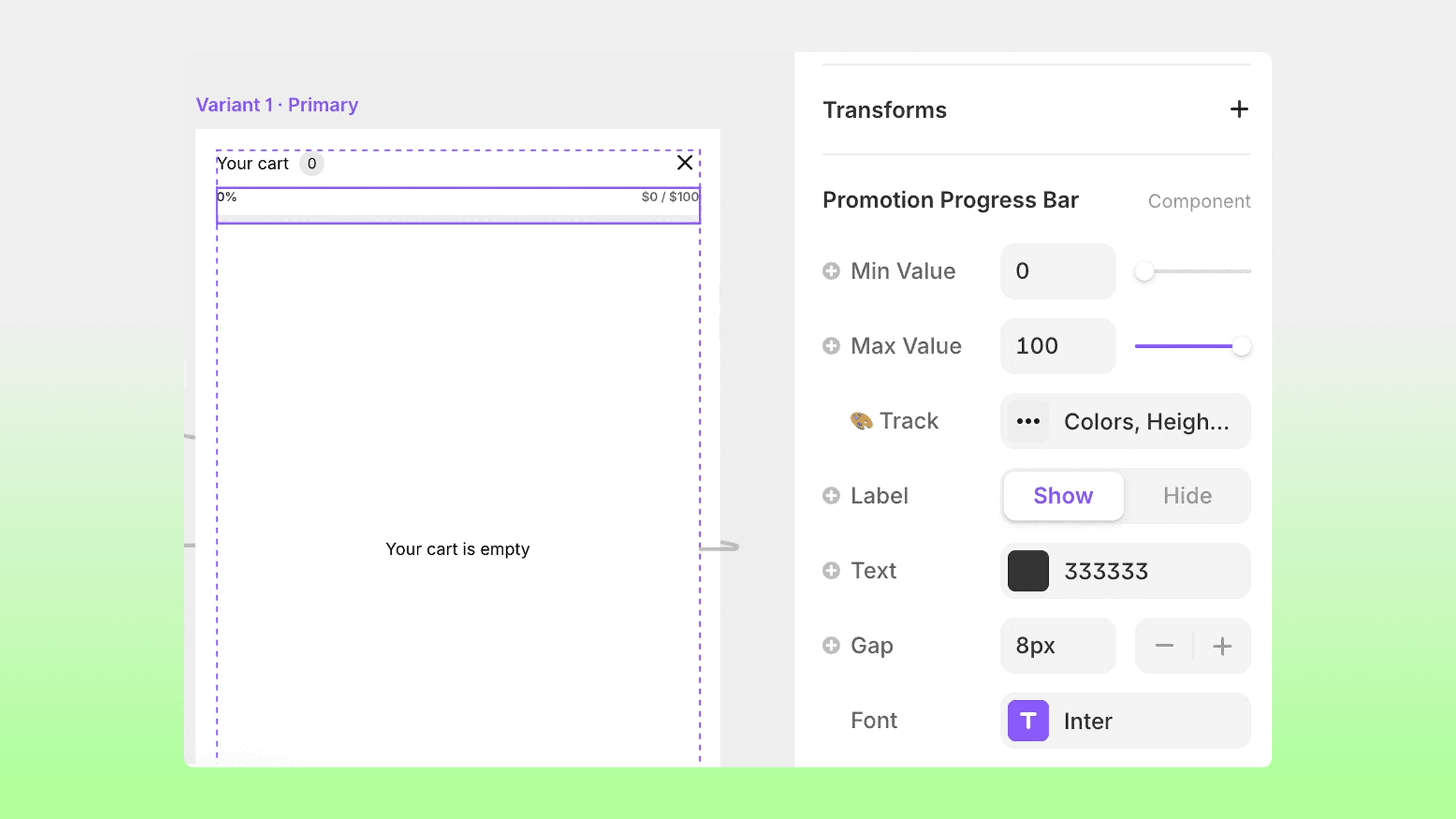
That's it! Now your cart will have a Progress bar to encourage more sales.


