
Blog
Tips & Tricks
Ticker Effect in Framer: How to Create Infinite Scrolling Content

Ryan Hayward
If you've ever visited a website and seen that endless scrolling row of logos or images and wondered how to do it in Framer - it's actually really simple.
This is one of the lessons we added to the Ultimate Framer Masterclass - here's how it works.
Step 1 - Set up your content frame
Add the images or logos you want to scroll into your project
Press F to draw a frame on the canvas - this is your ticker container
Name it Ticker
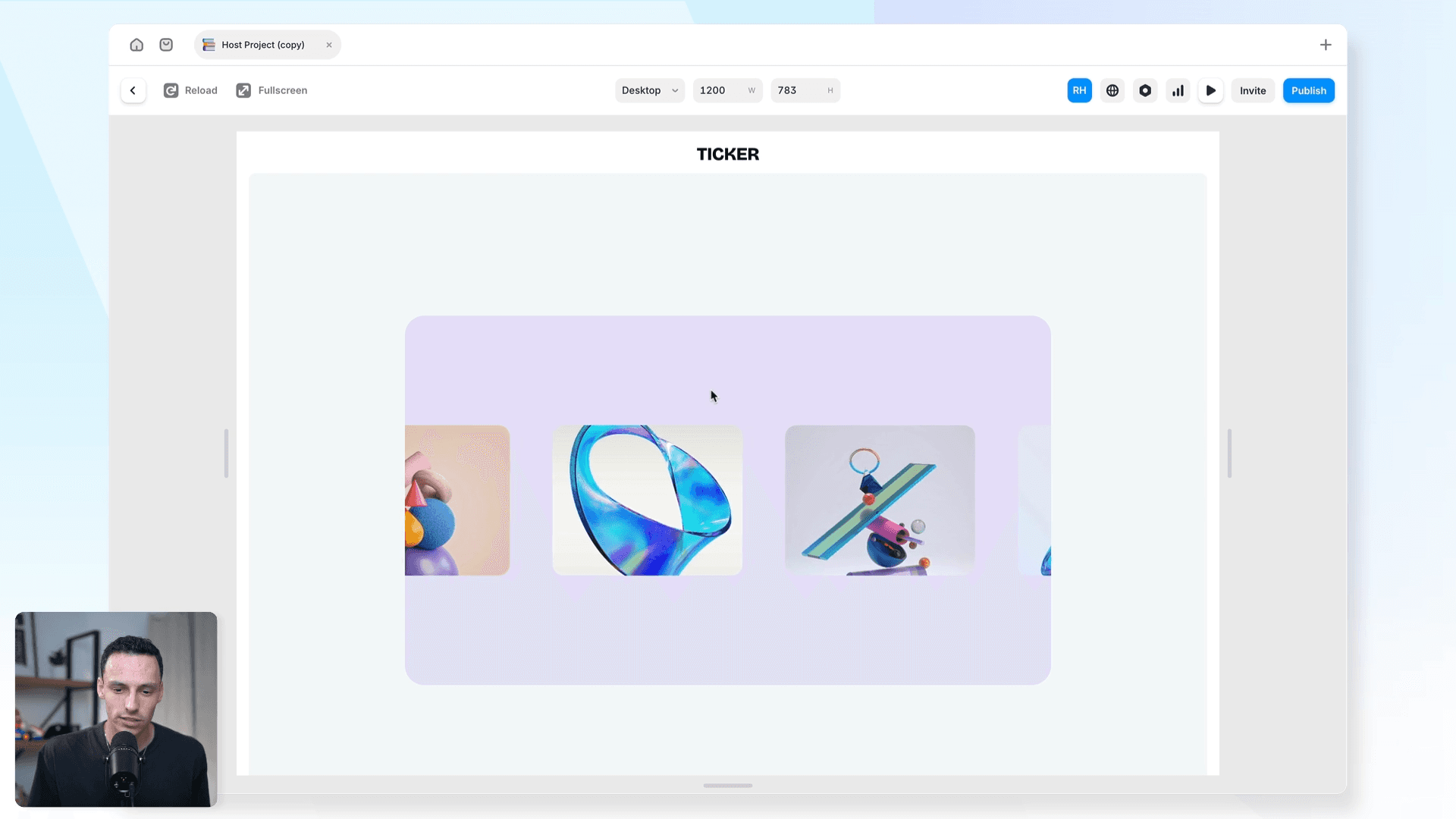
Step 2 - Arrange the content inside
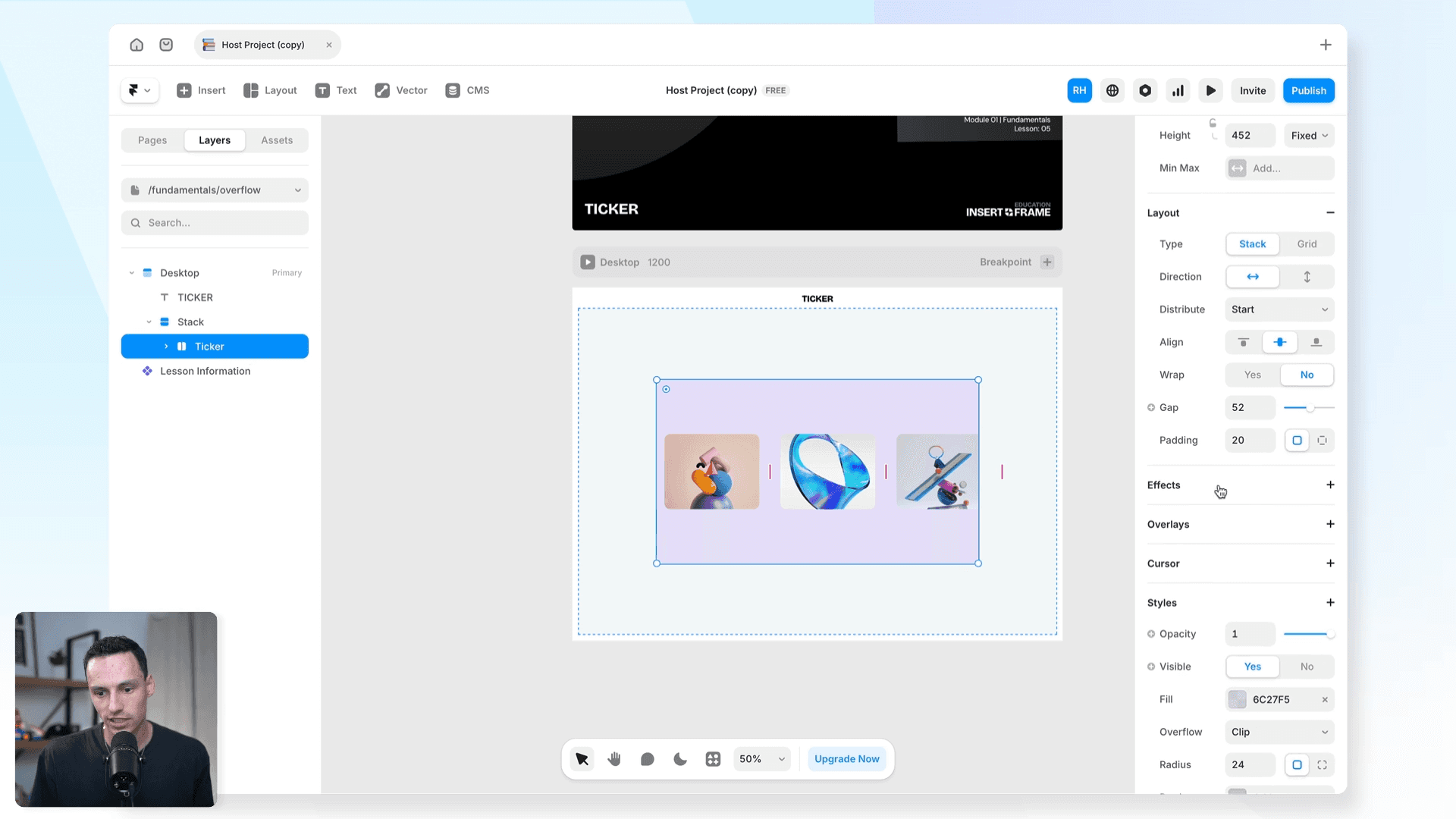
Turn Layout on for the Ticker frame
Set direction to Horizontal, distribute to Start
Drag your images inside - they'll overflow the frame boundary. That's intentional.
Add a gap between images if needed (8-16px works well)
Step 3 - Apply the ticker effect
Select the Ticker frame
Scroll to Effects in the properties panel
Click + and choose Ticker
Click Play - your content is now looping
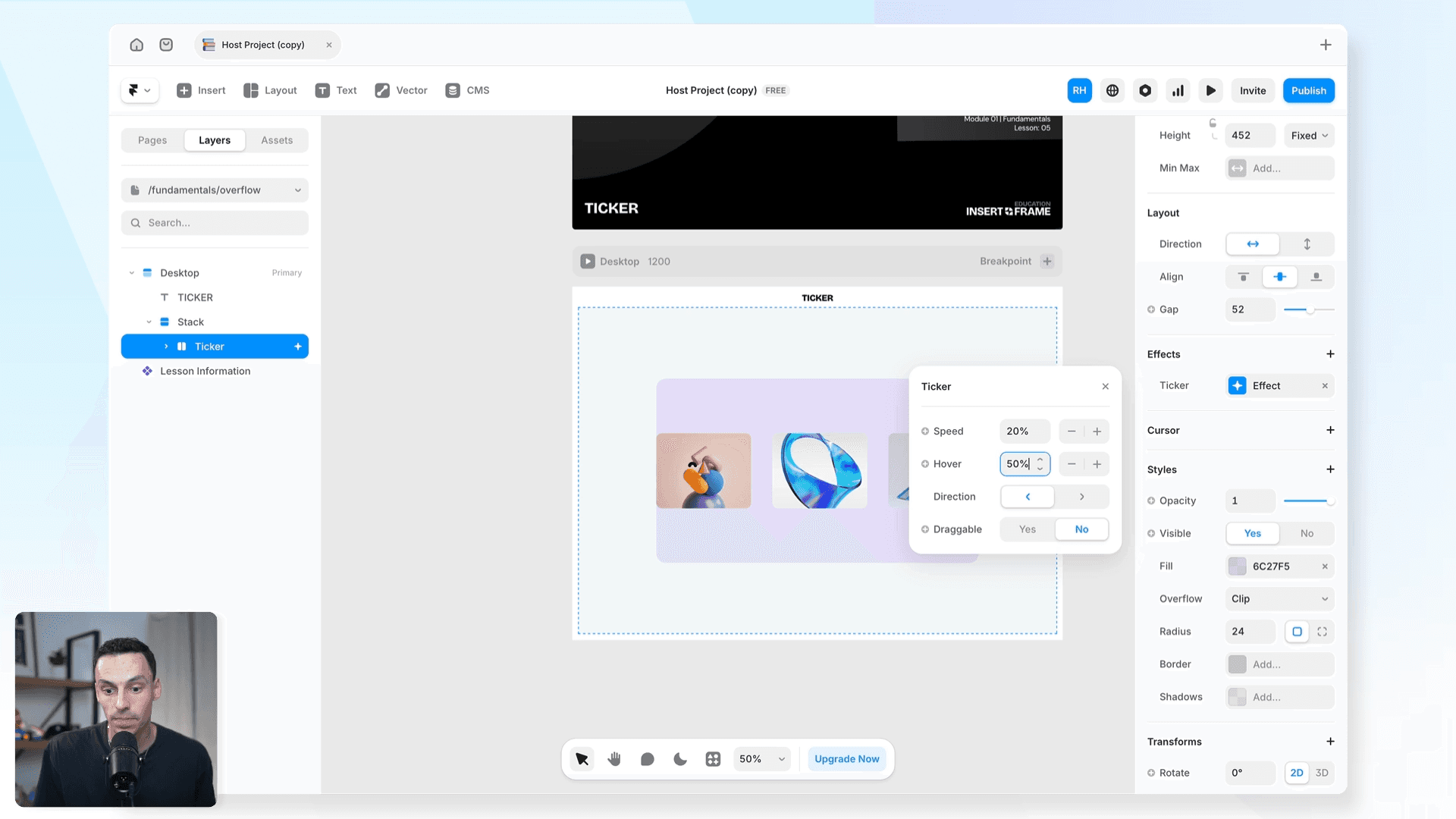
Step 4 - Adjust the settings
Speed - lower = slower scroll
Hover speed - set to 50% to slow down on hover
Direction - Left or Right
Draggable - lets visitors click and drag the ticker manually
The effect loops automatically. You don't need to duplicate your images.
Frequently asked questions
Do I need to duplicate my images to make the ticker loop?
No. Framer handles the looping automatically.
Why is my ticker not moving?
Make sure you've applied the Ticker effect to the frame containing your images, not to an individual image. Also check that layout is turned on and direction is set to Horizontal.
Can I make the ticker go vertically?
Framer's native ticker effect is horizontal only. For vertical scrolling you'd need a code component.
Can I pause the ticker on hover?
Yes - set Hover Speed to 0%. This pauses the ticker completely when someone hovers over it.
Can I add text to a ticker, not just images?
Yes. The ticker effect works with any content inside the frame - images, text, components, or a mix.
How do I learn Framer?
Honestly, the best place to start is just right inside Framer - keep building stuff. If you want a structured path from zero to client-ready sites, that's what we built the Ultimate Framer Masterclass for. 100+ lessons, updated as Framer evolves.
KEEP READING

AI won't take your design job. The designer next to you will.
The gap between what you design and what actually ships has been the defining frustration of this job. It closed this year, and most designers haven't noticed yet.

Ryan Hayward

Everything we announced at the Framer CMS Launch Event
The Framer CMS Launch Event by Insert Frame

Georgia Back
How to Build a Pricing Calculator in Framer (No Code)
A step-by-step guide to building a live pricing calculator in Framer using FramerForms, plus real examples of what you can build with calculators and quizzes.
Georgia Back


