setup
COMPONENTS
INTEGRATIONS
FAQ
How to Integrate Subscriptions with Framer
It works seamlessly with Shopify subscription apps (like Seal Subscriptions), pulling in selling plans automatically using Shopify’s native system - no extra setup needed. It also works with market-specific pricing through the live store set up.
This component works with any app that uses Shopify’s native selling plan system, including:
Seal Subscriptions
ReCharge
Bold Subscriptions
Any app built on Shopify’s selling plan API
💡 Note: This component is only available for Scale tier of Frameship license. You can upgrade your license at any time through the plugin.
How to integrate this into your store:
Make sure you are using a Shopify selling plan app only (Seal, ReCharge, Bold etc.)
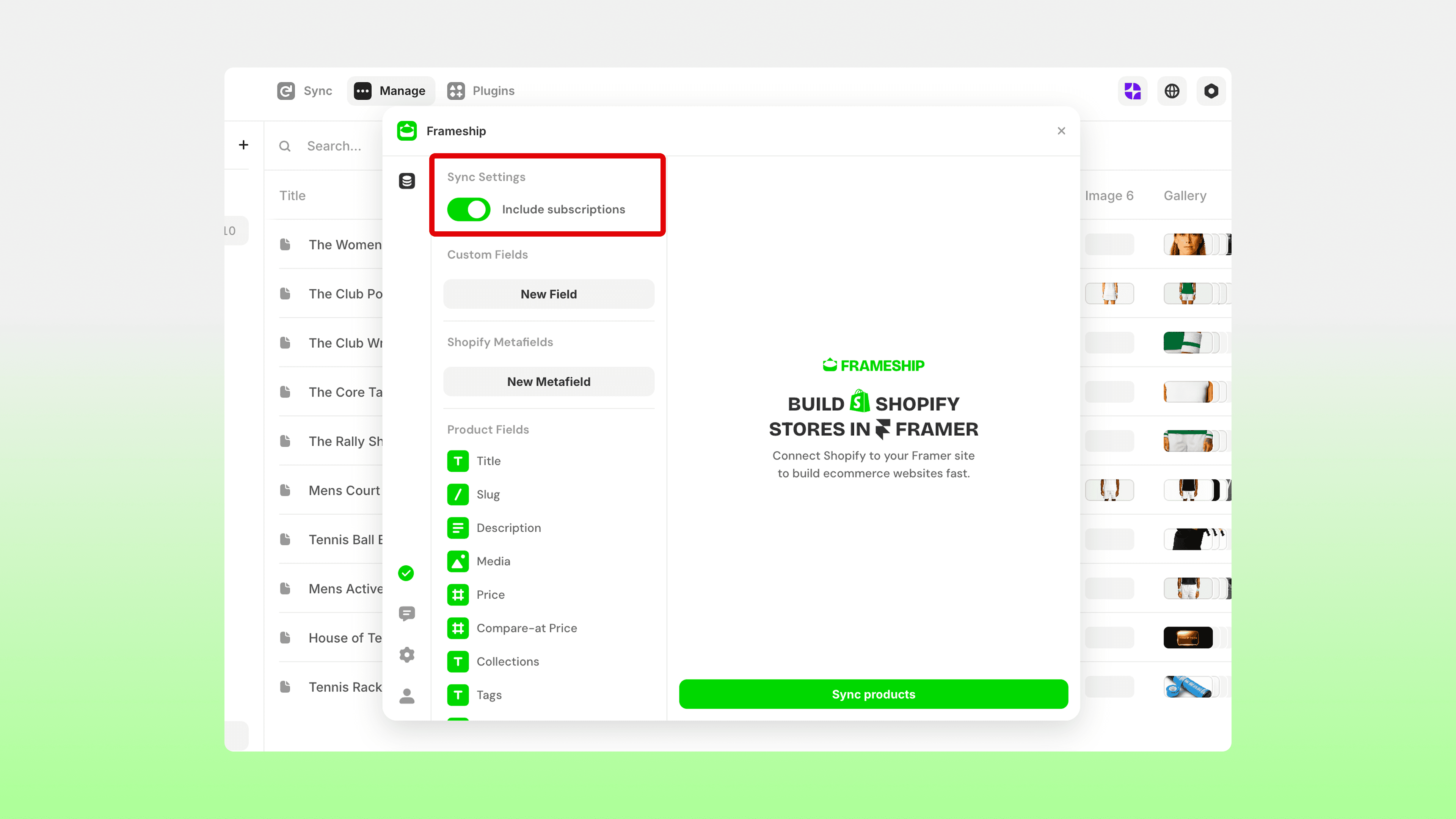
Make sure the subscription toggle is turned ON in the Frameship plugin side:
Make sure your product/s are set up in the Shopify admin side with the intended subscription plan.
On your product detail page in Framer, open the plugin and navigate to the component by going Components > Product.
Drag the Subscription component onto your page.
Select the component and connect the Shopify data in the Properties panel.
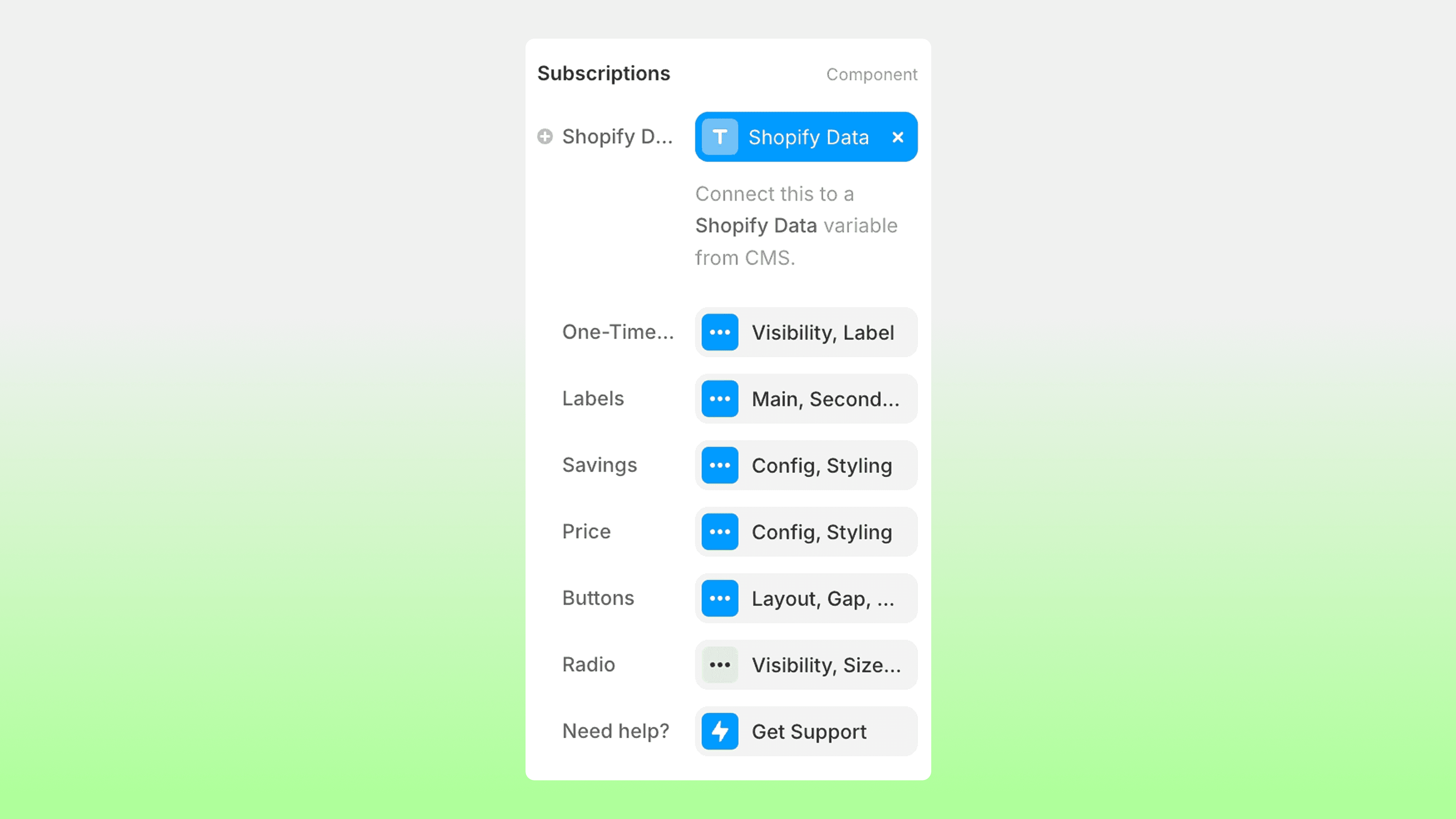
Adjust as needed with styling, options, design and function.
💡 Note: To ensure this component does not leave an empty gap when it is not applicable to a different product or variant, make sure you use Margin settings under Layer Style in the component settings, instead of a gap on the parent layer.
If the component is not appearing once you have connected the Shopify data:
Resync your Frameship CMS collection.
Make sure your Shopify changes are saved within your products.
Make sure all Frameship components are up to date in your Asset tab.
RELATED DOCUMENTATION


