Products

Education

Resources

Company

Support

Products

Education

Resources

Company

Support

Help Centre

How can we help?

Search Docs

How to Add Automatic Country Phone Input

How to Add Automatic Country Phone Input

How to Add Automatic Country Phone Input

FramerForms Phone Input can identify the user's chosen country and adapt the phone number format automatically, making all phone submission information correct for your forms!

  1. Open the FramerForms plugin, go to Form Inputs.

  2. Drag in the Phone Number Input component.

  3. In the Properties panel, adjust all settings, such as the Default Country, Auto or Manual Formatting, Placeholder, Border, Colors, Font, Sizing and more.

  4. You're done! You now have an adaptable phone number input field in your Framer form.
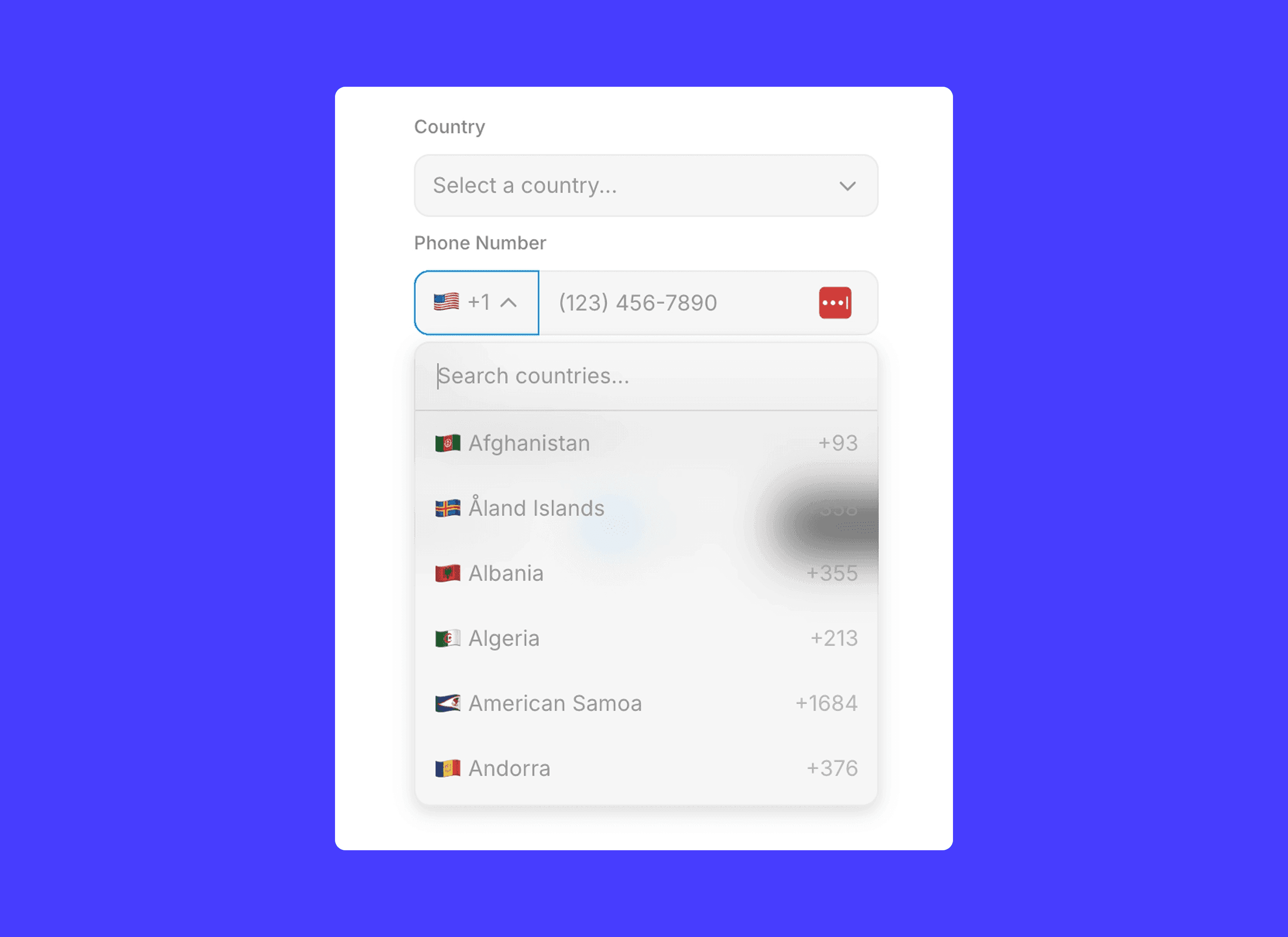
FYI: This component can be combined with the Country input component to automatically adjust the Phone Number Input component when the user selects the country first, just make sure the two components are within the same parent frame.

FramerForms – Build powerful, interactive forms inside Framer.

Framer Forms power ups for pros

Unparalleled form-building with FramerForms. Multi-step forms, file uploads, conditional logic & more!

FramerForms – Build powerful, interactive forms inside Framer.

Framer Forms power ups for pros

Unparalleled form-building with FramerForms. Multi-step forms, file uploads, conditional logic & more!

FramerForms – Build powerful, interactive forms inside Framer.

Framer Forms power ups for pros

Unparalleled form-building with FramerForms. Multi-step forms, file uploads, conditional logic & more!