setup
COMPONENTS
INTEGRATIONS
FAQ
Sort Buttons - Superfields for Framer
Sort Buttons let visitors reorder your collection with a row of tappable buttons - great when you have just a few sort options and want them all visible.
Before you start: every input works together with the Superfields Collection - the main component that connects your CMS and renders the results. Add and connect that first (see Getting Started with Superfields), then give this input the same ID Filter Group as your collection.
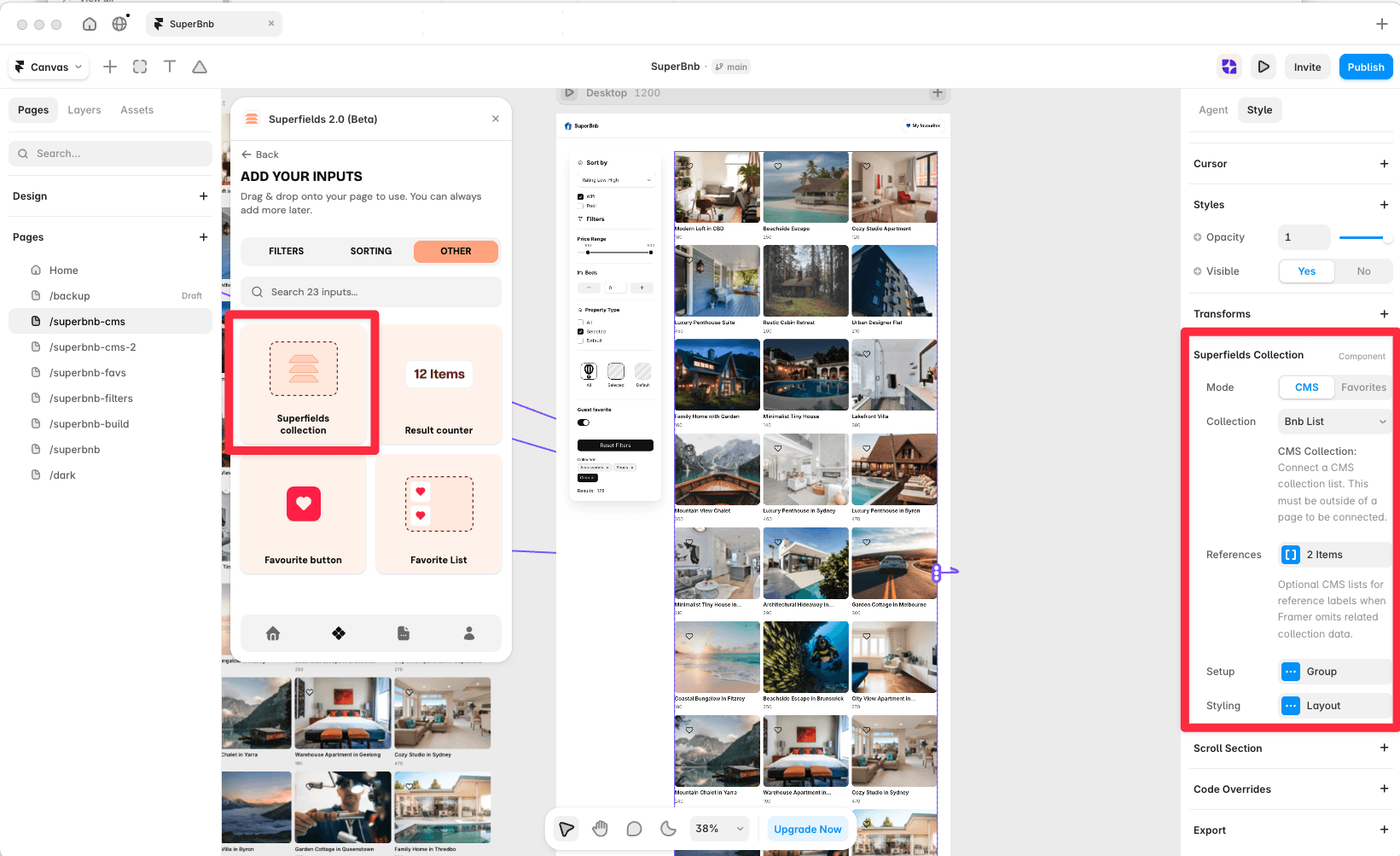
Where to use it
Online store: a few visible options like Newest, Price, Popular.
Airbnb-style rentals: Price and Rating side by side.
Directory: a simple A-Z toggle.
Best when you have only two or three sort options and want them all visible.
Add Sort Buttons
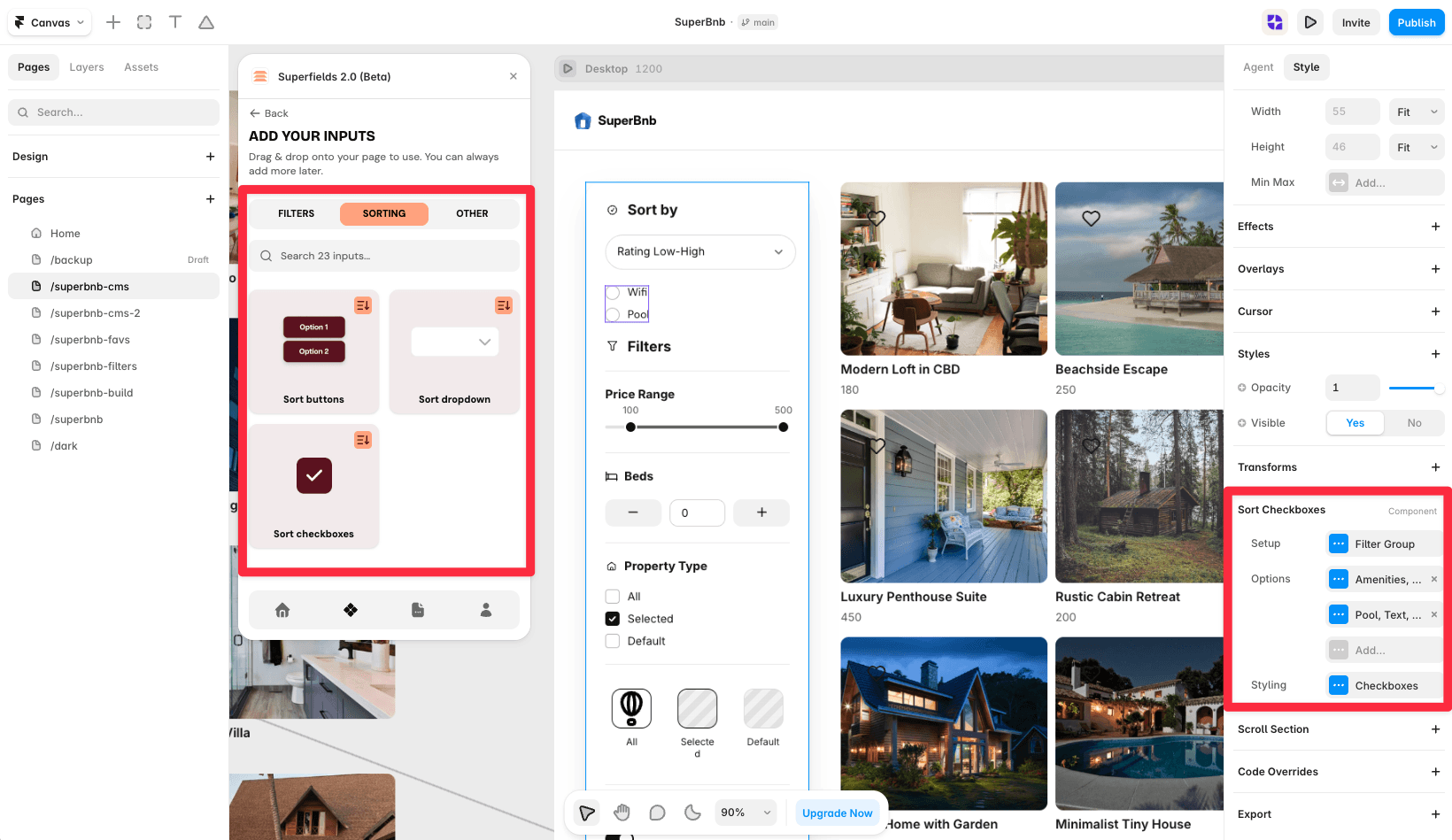
Open the Superfields plugin and go to Components, then the Sorting tab.
Drag Sort Buttons onto your page, inside your filters layout.
Open the component's Setup from the
...menu.
Setup
ID Filter Group - must match your Superfields Collection and filter controls.
Options
Add a sort option for each button. Each has a Field Name, Field Type (Text, Number or Date), Direction, a Title (the button label) and a Default toggle.
Styling
Style the Buttons (width type, height, padding, fill, text, border, radius), plus a Show Clear option to let visitors clear the active sort.
And that's it - visible, one-tap sorting.
RELATED DOCUMENTATION


