setup
COMPONENTS
INTEGRATIONS
FAQ
Filter Number Slider - Superfields for Framer
Filter Number Slider lets visitors drag a range - perfect for price, rating or any numeric CMS field.
Before you start: every input works together with the Superfields Collection - the main component that connects your CMS and renders the results. Add and connect that first (see Getting Started with Superfields), then give this input the same ID Filter Group as your collection.
Where to use it
Airbnb-style rentals: price per night.
Online store: price range.
Real estate: floor area, or year built.
Best when visitors want a range rather than one exact value.
Add Filter Number Slider
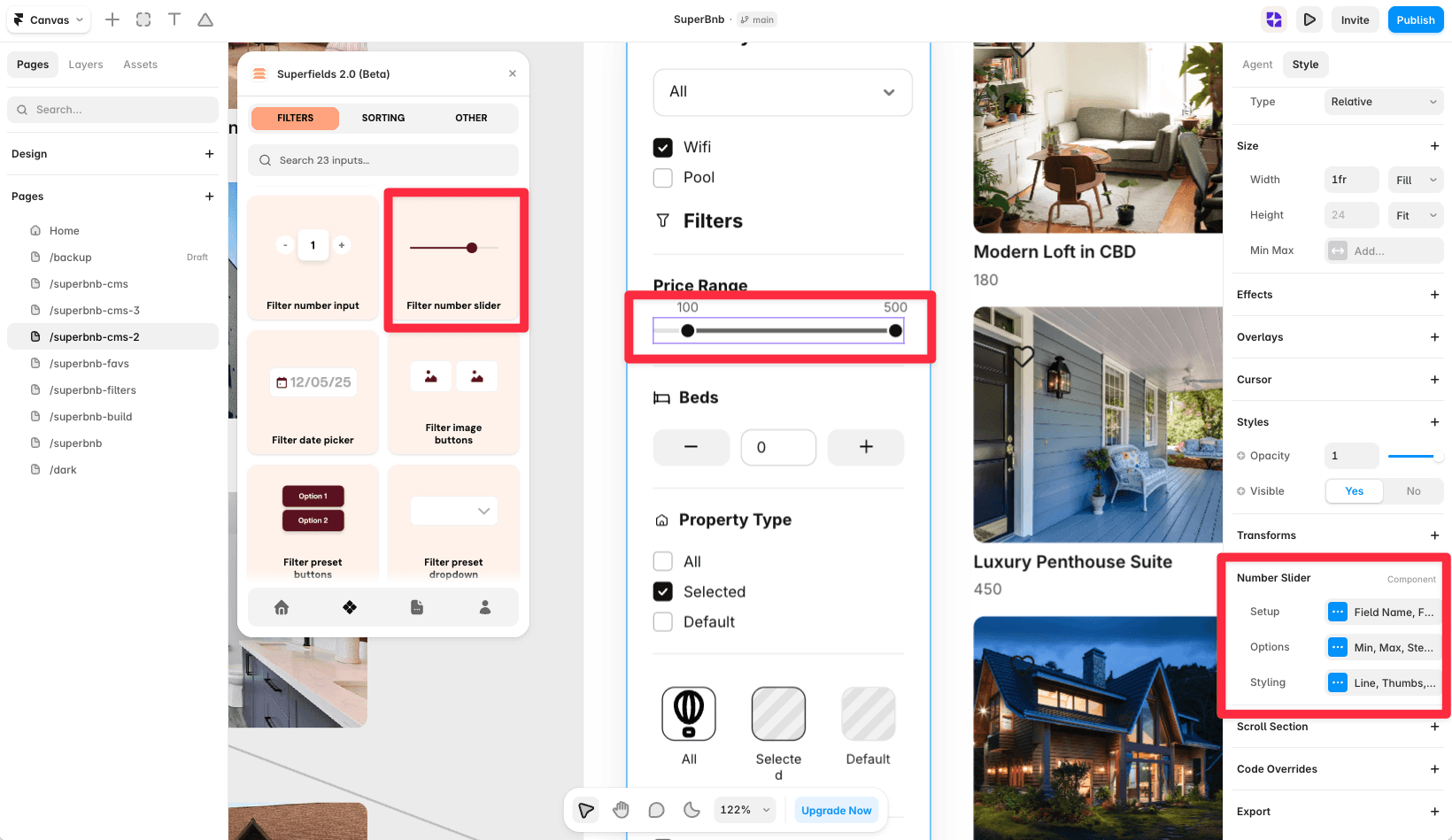
📸 [IMAGE] Filter Number Slider selected in Framer - a price range on canvas (From 0, To 250) with the property panel open.
Open the Superfields plugin and go to Components, then the Filters tab.
Drag Filter Number Slider onto your page, inside your filters layout.
Open the component's Setup from the
...menu.
Setup
ID Filter Group - must match your Superfields Collection and other filter controls.
Field Name - the exact name of the number-type CMS field. (The slider is always numeric, so there's no Field Type to set.)
Apply Filters - update Immediately, or wait for an Apply Button Click.
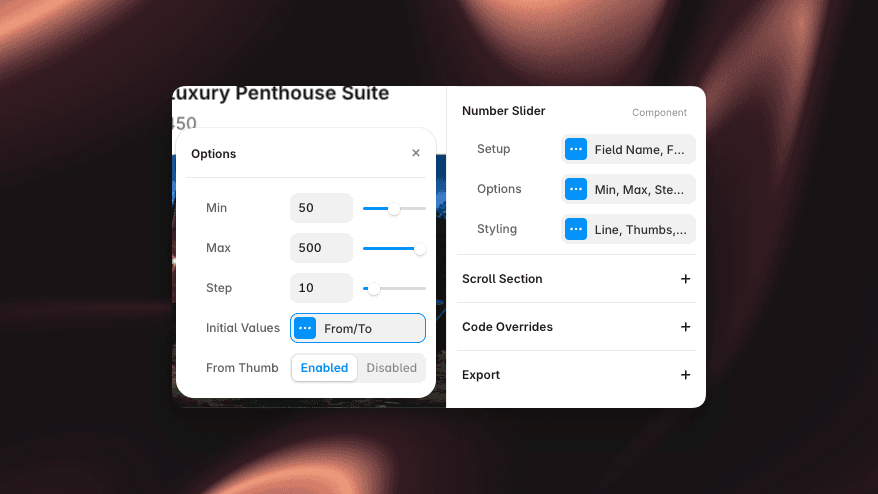
Options
Min, Max, Step - the range and increment.
Initial Values - set the starting From and To thumb positions.
From Thumb / To Thumb - enable or disable each thumb for a single-ended or full range.
Styling
Style the track, thumbs and value labels to match your brand.
And that's it - smooth range filtering.


